OVERVIEW
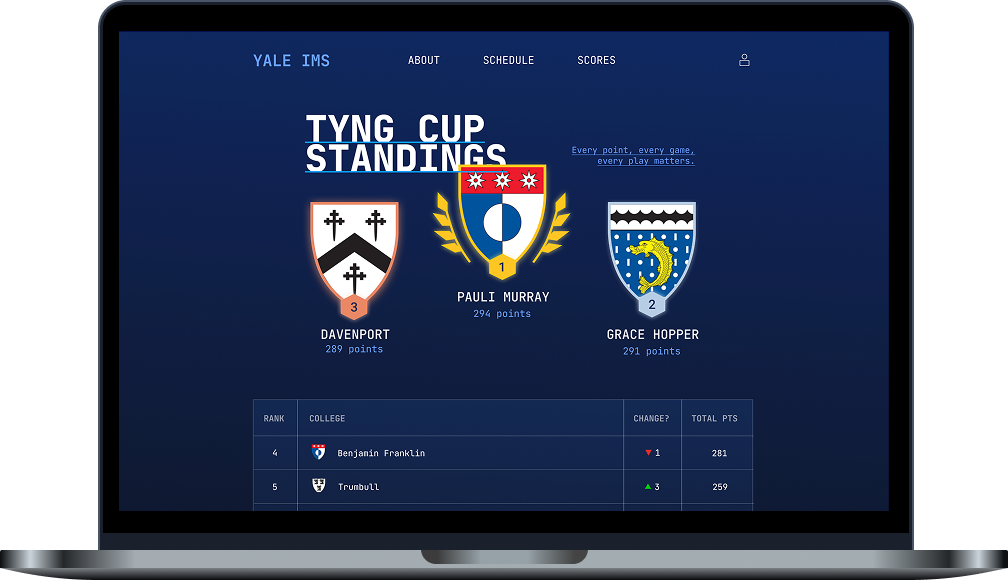
Yale Intramural Website Design
SPRING 2024
Our team was tasked with designing a website to serve as a central hub for Yale Intramural participants, providing easy access to schedules, scores, and standings while reflecting the competitive nature of IMs.
TOOLS:
FIGMA
PEOPLE:
NAOMI LING, LILY LIN
QUESTION
How can we make IMS information intuitive and accessible?
In one year, thousands of students play 18 different sports at almost 2000 different matches at Yale. (This is only about intramural sports, by the way.)
The school-sponsored website includes a page that ships you off to separate Google spreadsheets in order to track the schedule, the standings, and the sport-specific brackets.
The point of this project was to create a central place to access all of this information and make it interesting. Sports are supposed to be fun!
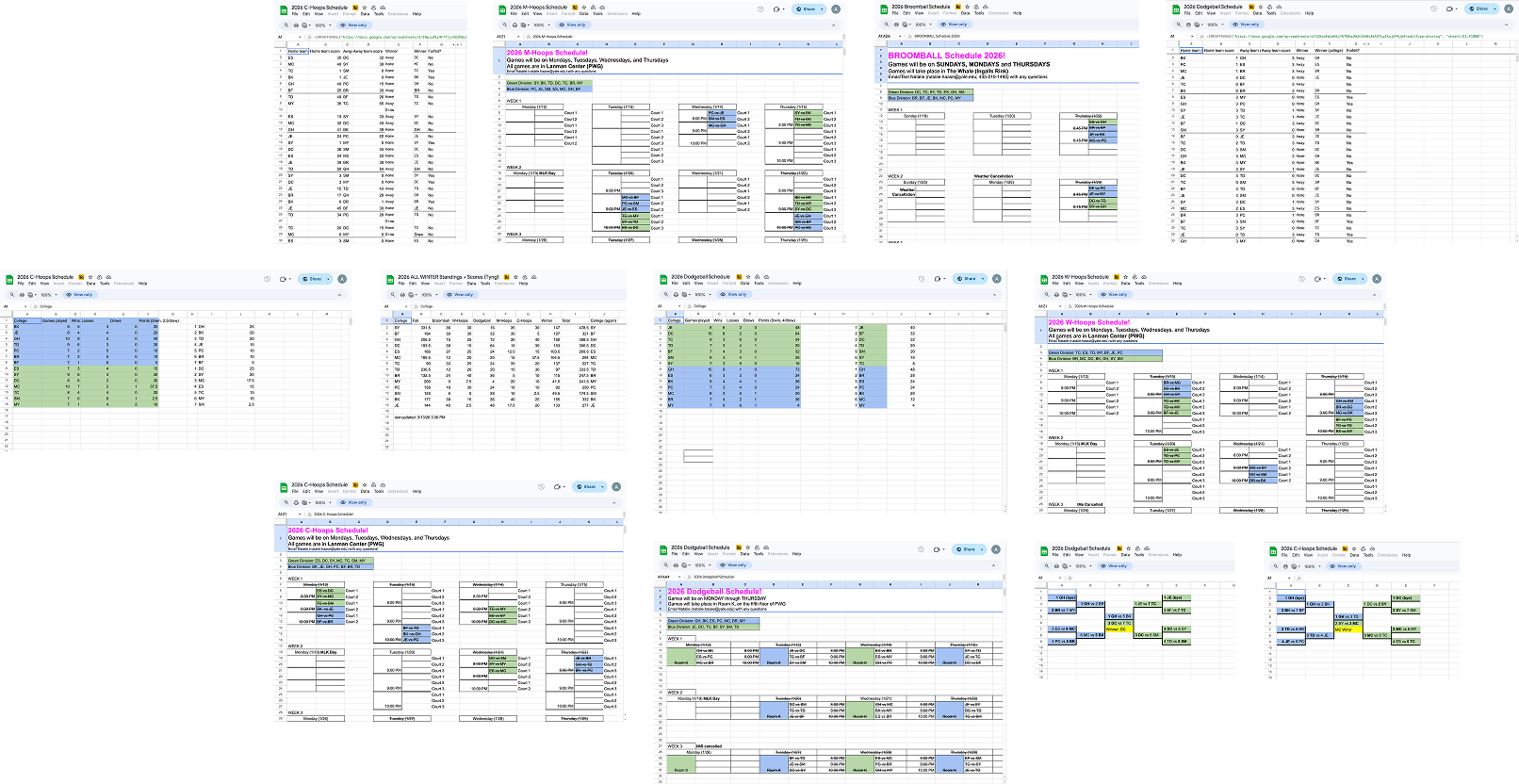
Not even all the separate spreadsheets used for one season
RESEARCH
Preliminary Issues
Before conducting user interviews, some problems were already pretty apparent.
One: manual search was reallly challenging by having to navigate different spreadsheets and use control F to try to find what you were looking for. Two: there was also no filtering to look at things by college, or by date, or by anything but the sport.
This led to a lot of confusion.
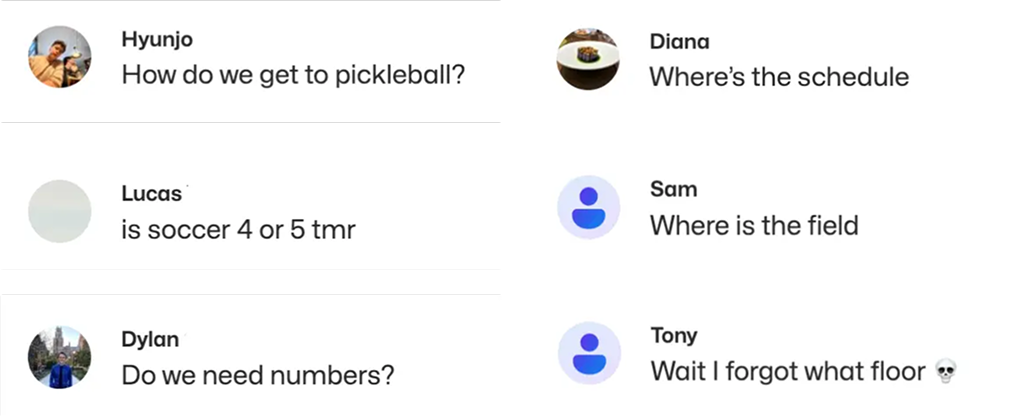
Real messages from my team's IM groupchat
It's a competition
Beyond thinking about centralization and easy navigation, we wanted to make something that was exciting to use. At the end of the year, one of the colleges wins the Tyng Cup if they collected the most points throughout the three seasons. We wanted to make something energetic and bold to reflect the competitive and intensity of IMs.
Challenges according to the user
We started interviewing students both involved and not involved in IMs. They reiterated a lot of initial thoughts that our team had, but brought some additional insights, like how challenging it was to make sure enough people showed up to each game. The current method was just to like a message in a groupchat and hope for the best.
"Having to like messages in the group chat to confirm attendance ... I feel like there's a better way to do that"
- A Yale IMs veteran
FOUNDATION
User flow
After identifying core features and pages, we established an uncomplicated user flow. When visting the website, the user must pass through a login page and API to sign into their actual Yale account. There, they start at the home/leaderboard page, which gives them access to all other pages through the upper navigation bar.
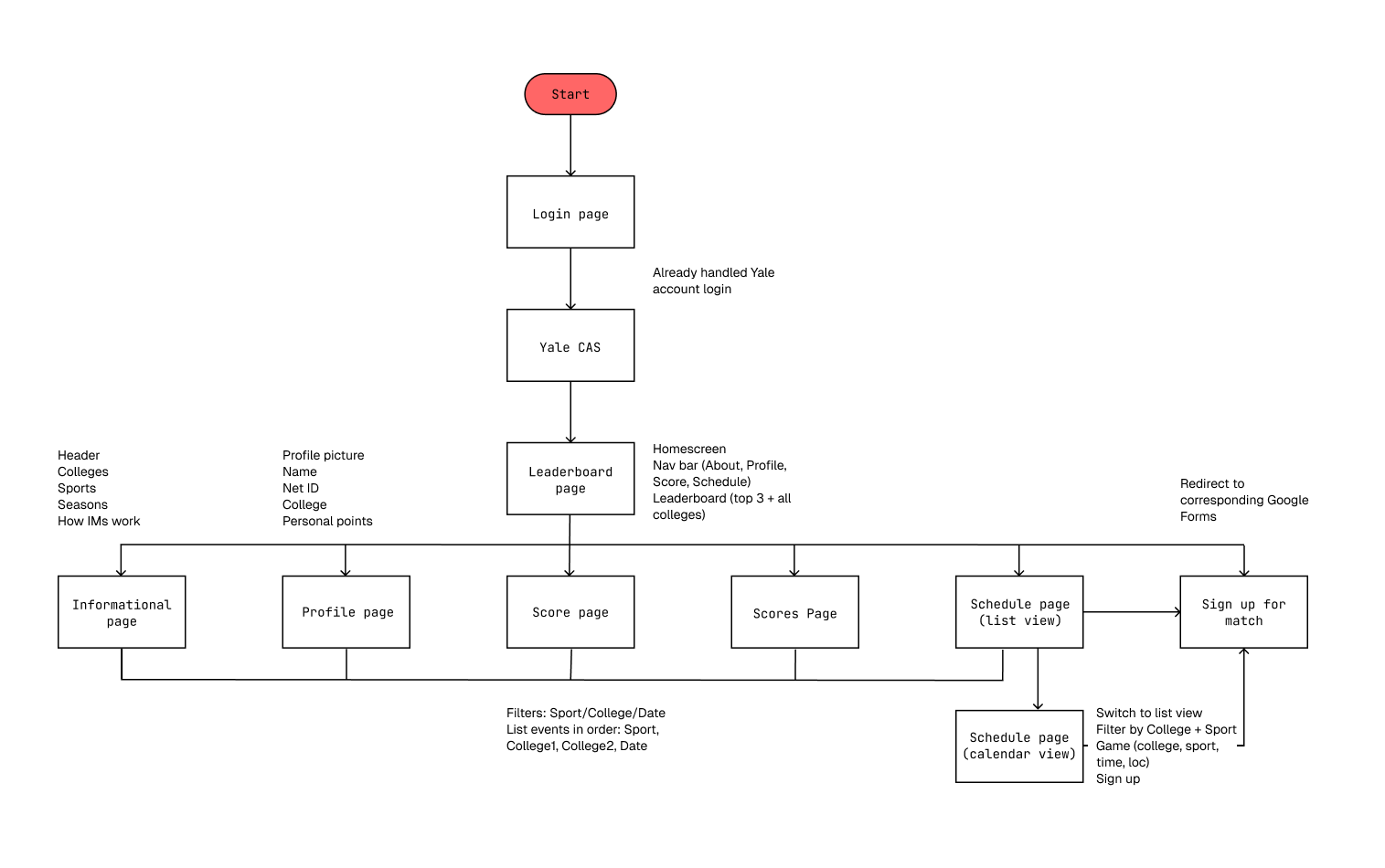
Preliminary user flow chart with corresponding basic components for each page
Wireframing
We created low-fidelity wireframes. We faced challenges with the scores and schedules pages, which function similarly, and ultimately combined list and calendar components to address this. We also at first struggled to populate the profile page with enough information, but eventually settled on how best to personalize that information.
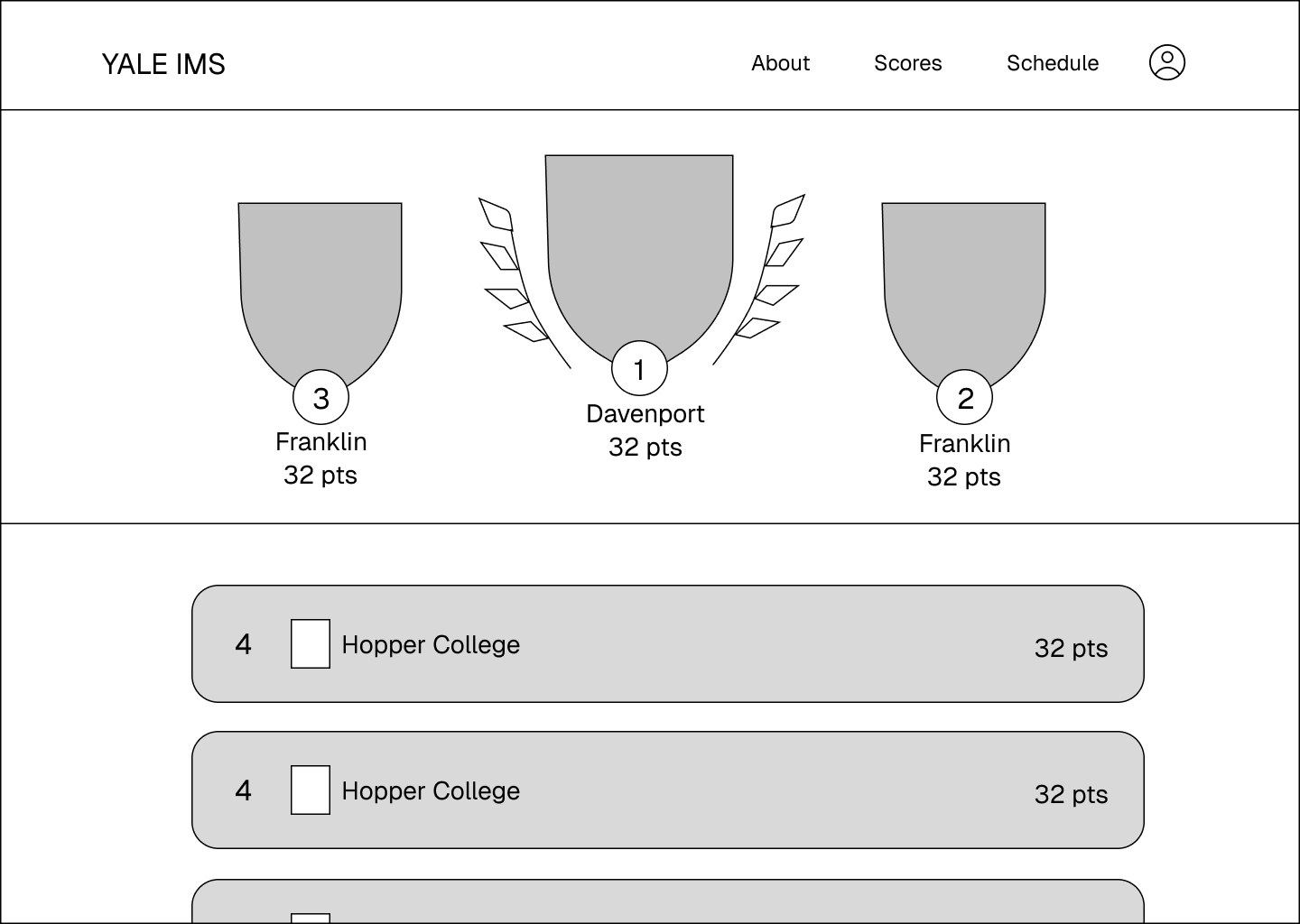
Home page
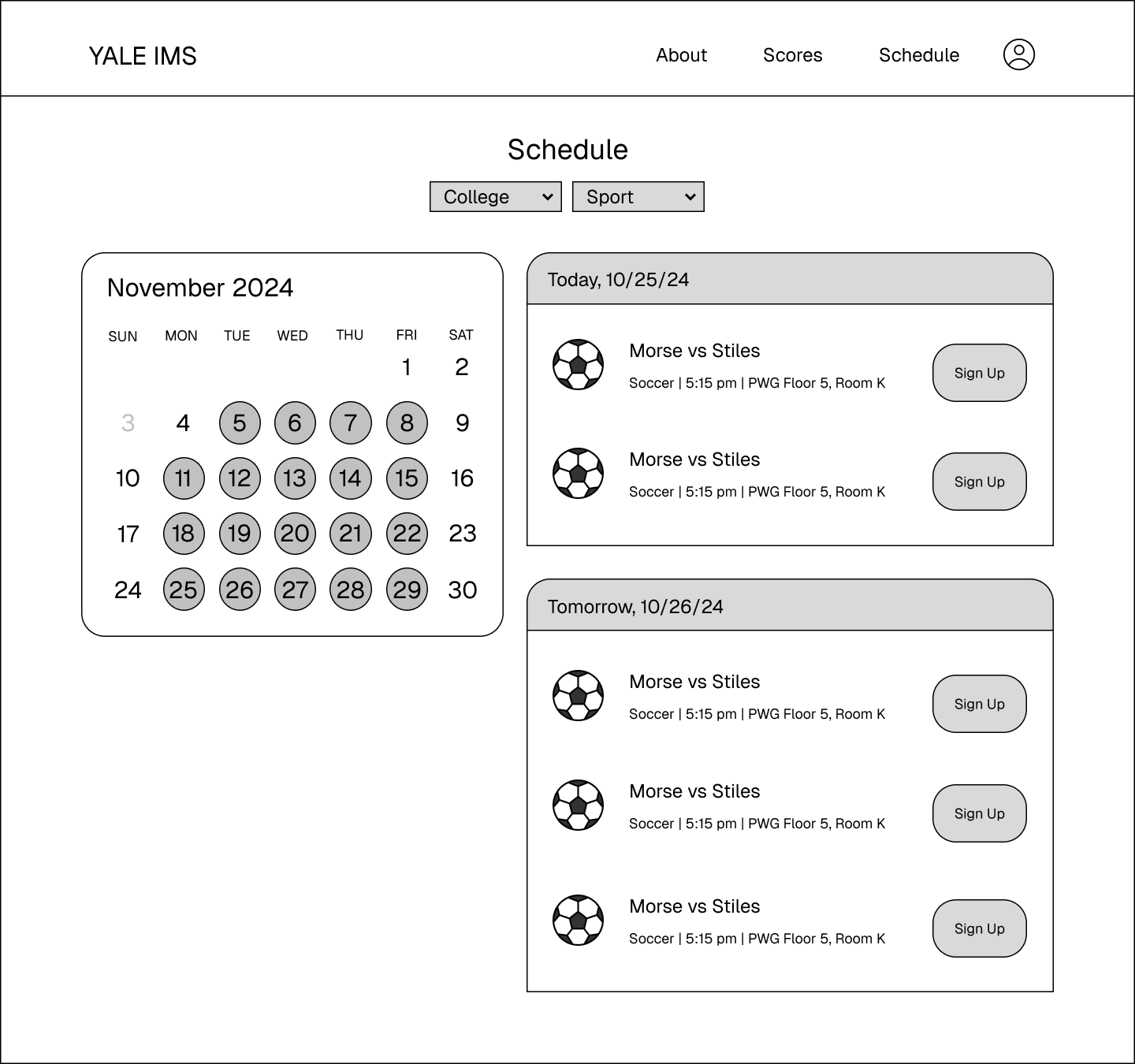
Combining calendar and list view for the schedule page
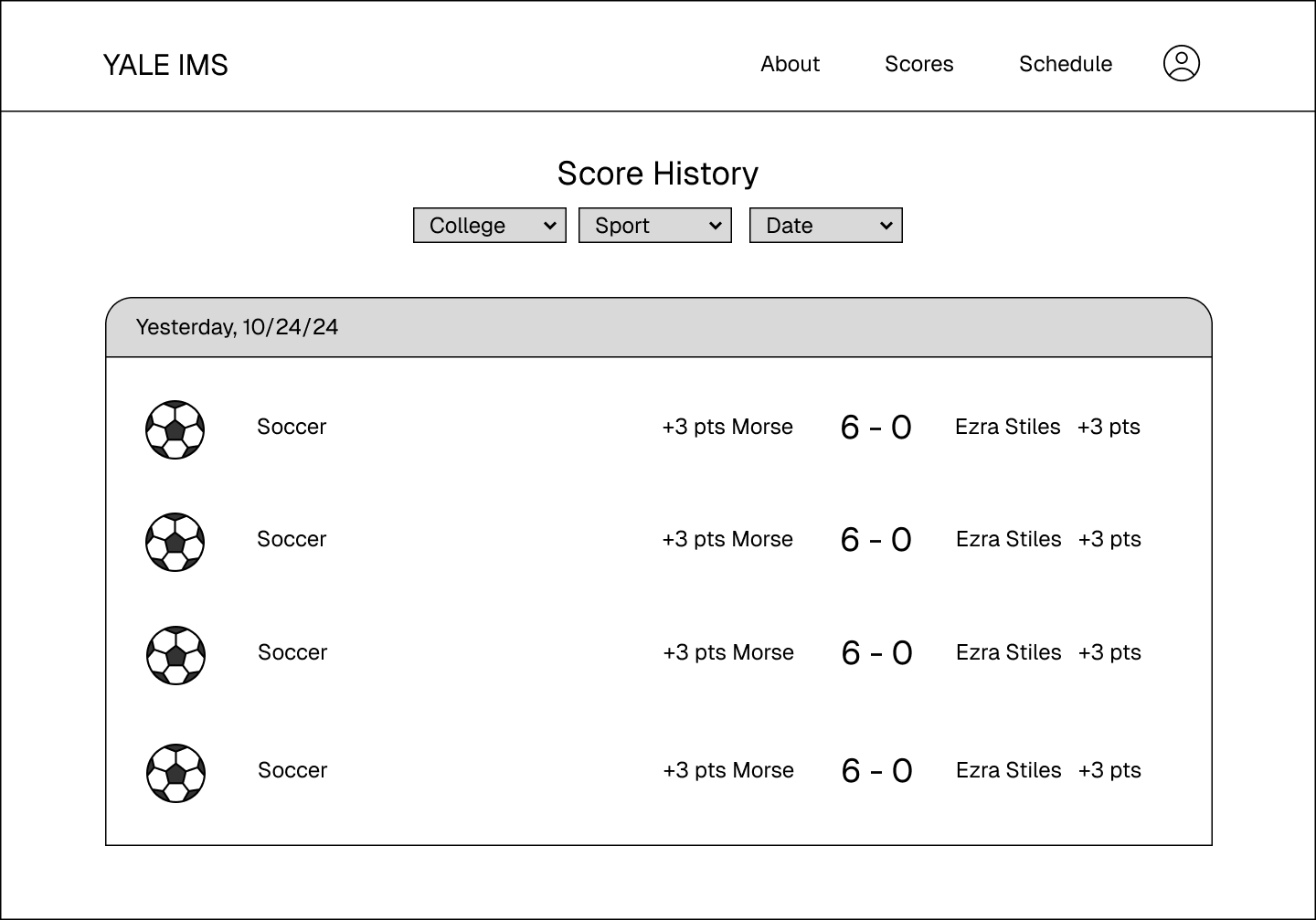
Score page
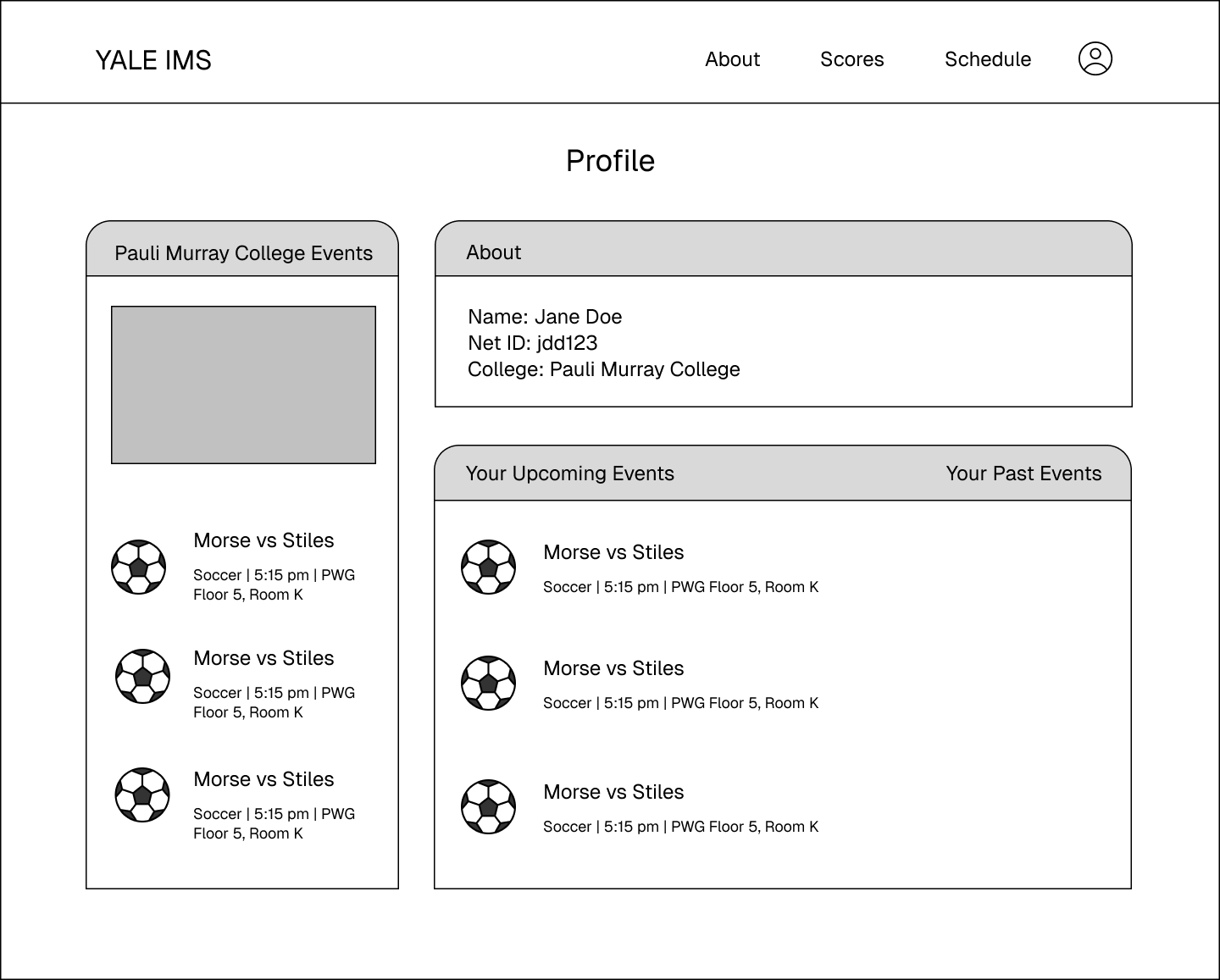
Personalized about page with upcoming events
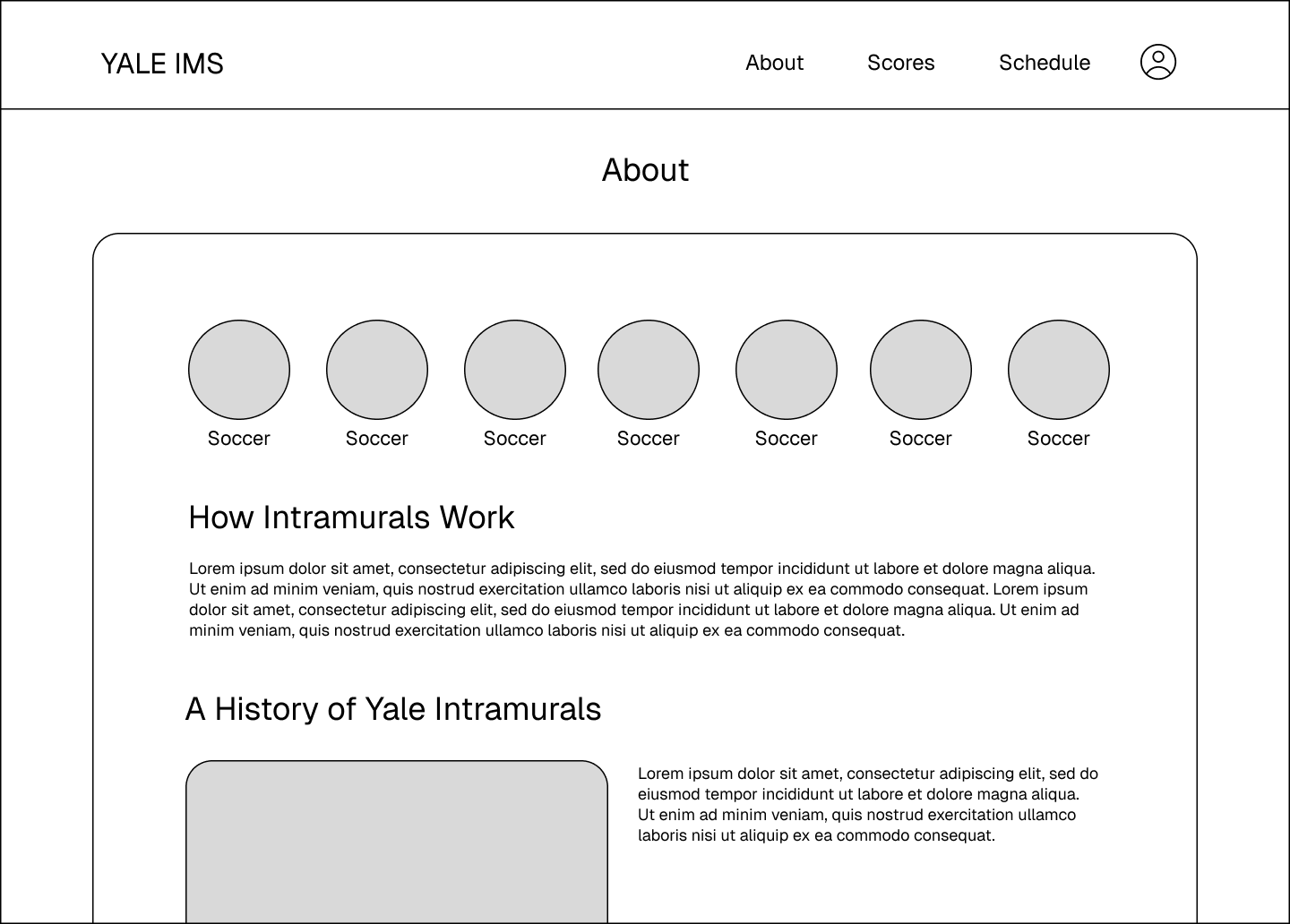
An about page for the overview of IMs
FIRST ITERATION
Pivoting
After developing the first iteration of higher fidelity protoypes, we didn't like what we had ended up making. We tried to go for a collegiate-inspired color scheme and a typeface we could already trust, but it just ended up in a really bland and unexciting platform.
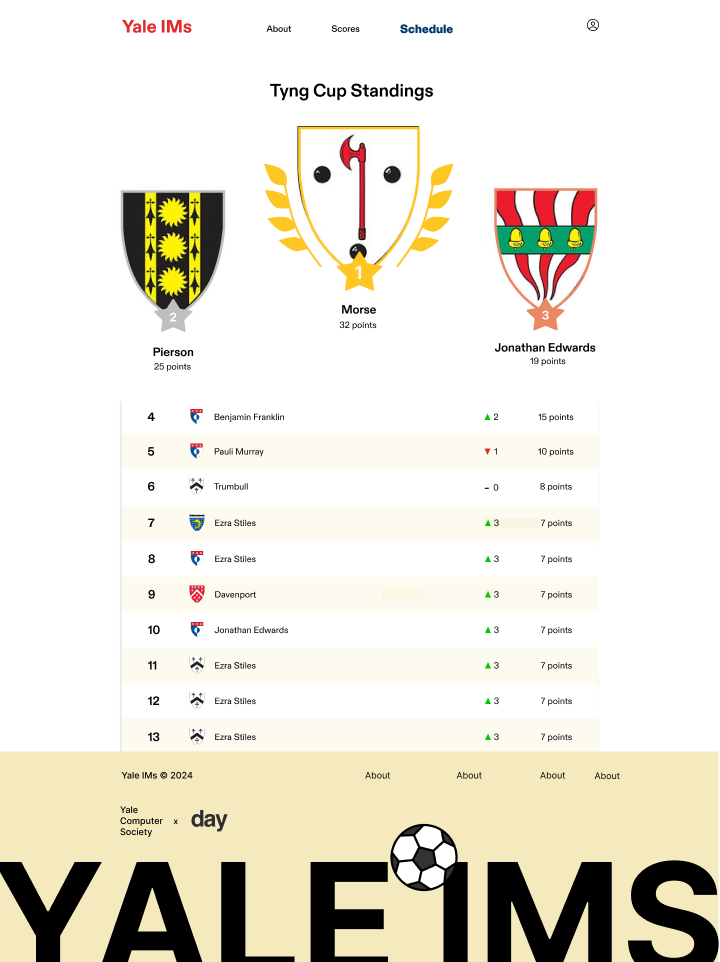
Home page (first iteration)
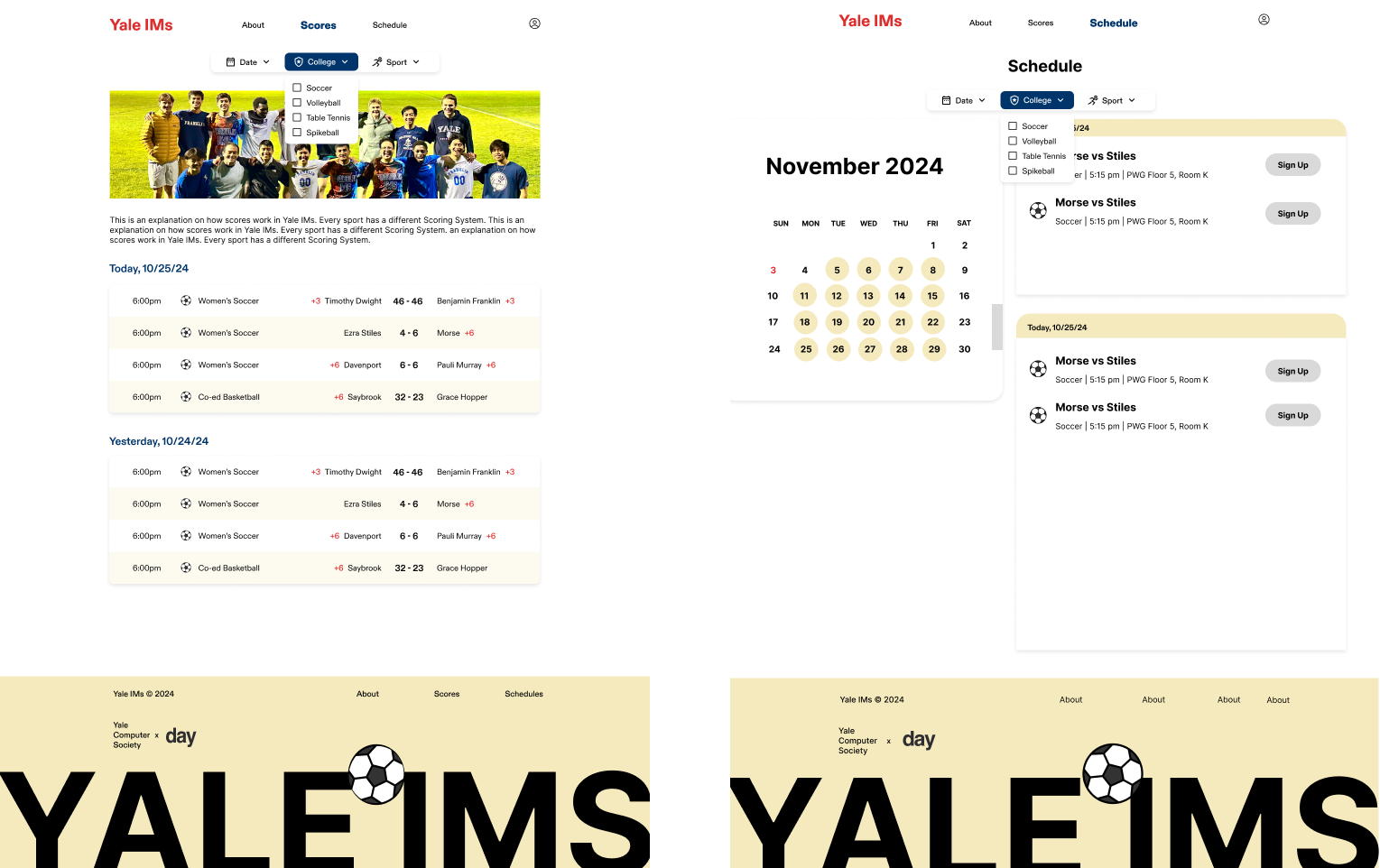
Schedules and scores first iteration
SECOND ITERATION
New visual direction
We changed a lot: The font was switched to a monospace to draw inspiration from scoreboards and video games, while we also adopted a much more intense, Yale-ish blue. These changes did a lot for making a more exciting, sports-themed website.
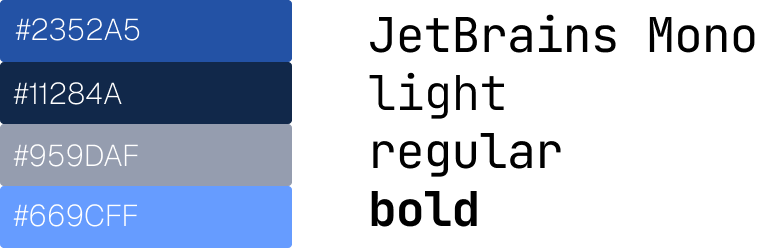
Bolder, more exciting direction
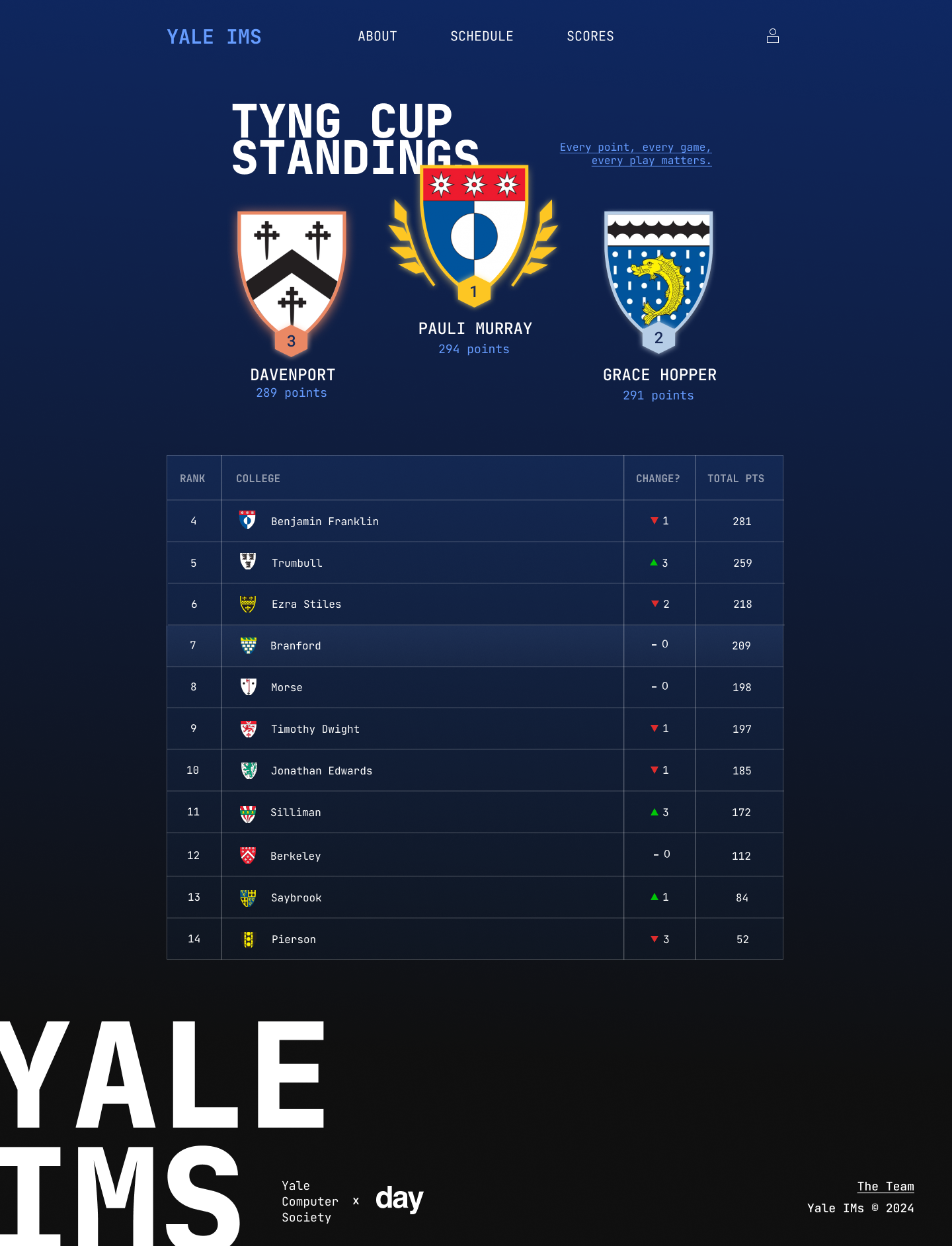
Finalized homepage
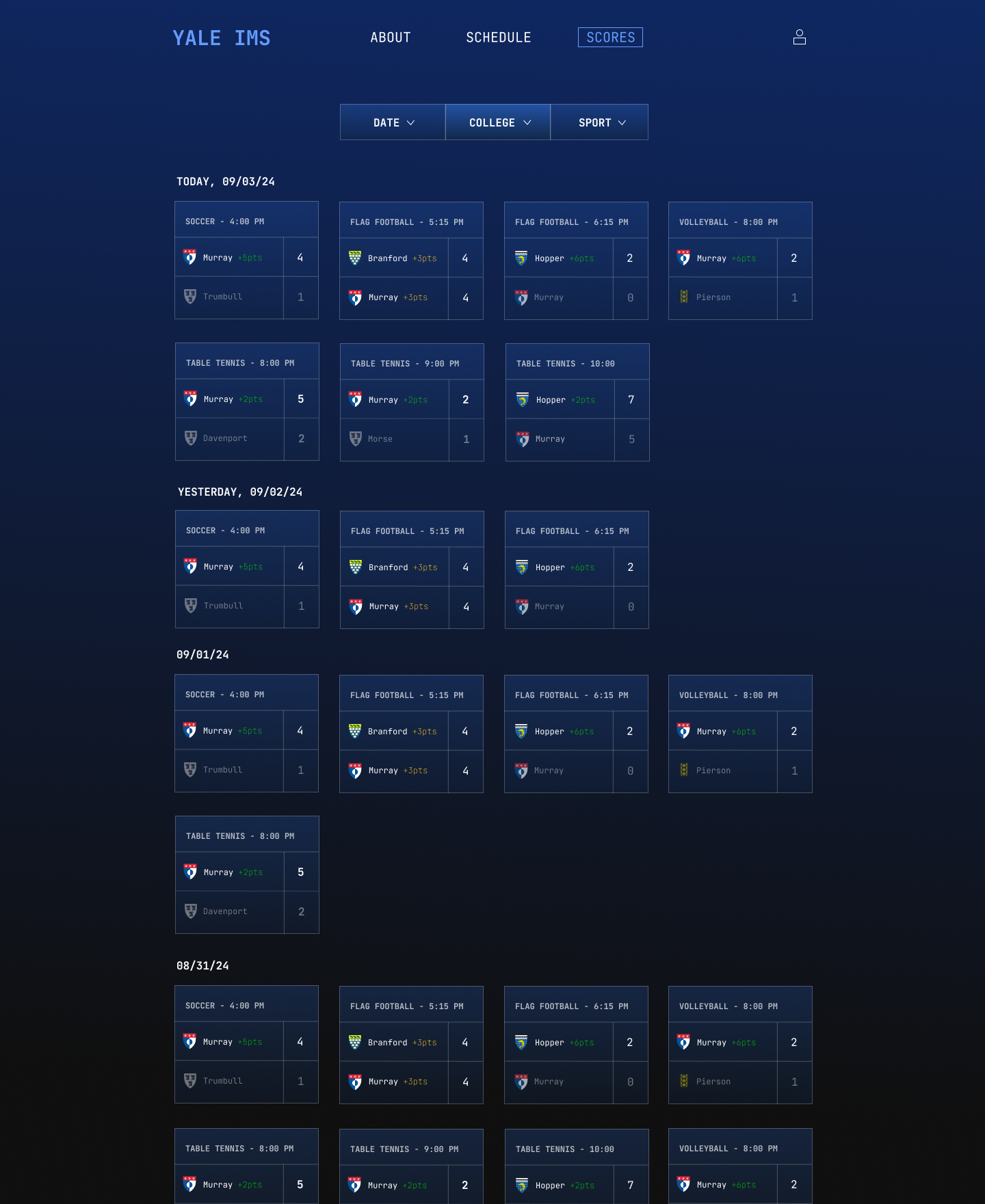
Top of the scores page
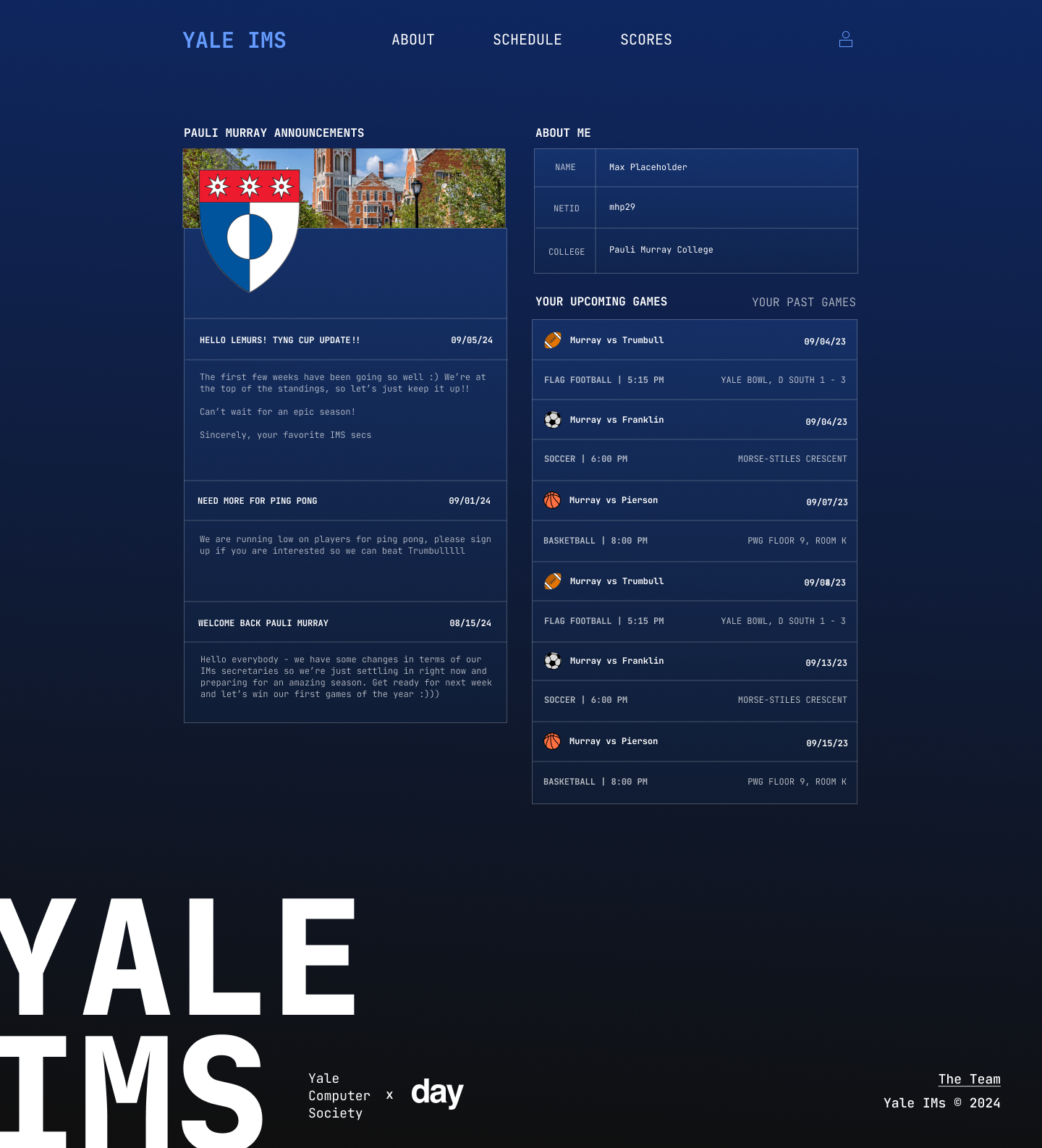
Personal profile page to get college-specific notifcations and see upcoming games
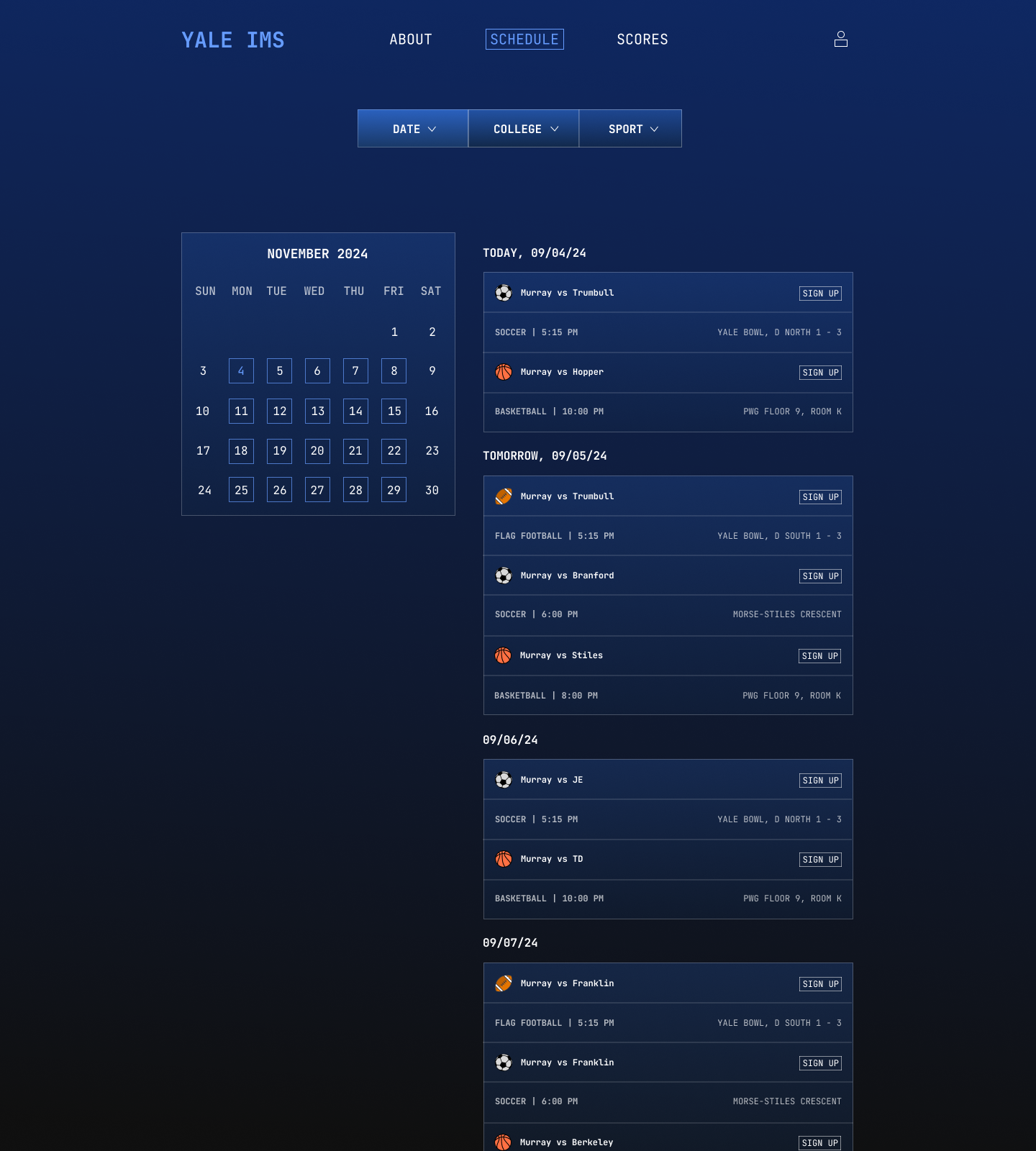
Finalized schedule page (with combined calendar and list view)
AFTER
Thoughts
IMs are something I personally am really invested in, and it feels rewarding to make something that further benefits it and its community.
On a more technical note, this was a new experience designing an extensive design language from scratch, working personally with user interviews and feedback, and having to go back to the drawing board. In the future, I hope to do more extensive interviews with possible qualitative feedback, and to be sure to conduct interviews further along the design process and not just at the beginning and end.
Deployment
The Yale Computer Society is in the process of developing this website! Exact deployment TBD.